

Why are there so many of you PC gamers purchasing this gaming PC? You may have noticed that right now it’s ranked the number one best seller at Best Buy. Do you think it’s overrated, or do you think it’s worthy of that spot? We’re going to utilize our experience reviewing countless gaming PCs to help you decide if it’s right for you in this 100% honest and unbiased review of the CyberPowerPC Gamer Supreme SLC 9000 VST.
This configuration that we have here for you includes an AMD Ryzen 7 7800 X 3D CPU and an RTX 470 Super GPU. I’m going to quickly take you through the unboxing and what’s included, gaming and creator benchmarks, design and build quality, the internals, thermals, fan noise, overall ease of use, pricing breakdowns, and comparing its price to performance ratio against the competition. Additionally, I’ll share my overall top likes and dislikes. If you decide against this PC after anything that I say in this video, just keep watching because I’m also going to be sharing with you some alternative PCs that I recommend for every budget. I’ll include links down below for all the products that I mentioned. I guarantee that by the end of this video, you will know if this PC is right for you or not. But if you still have any questions after watching this entire video, just shoot me a comment, and if you’re publicly subscribed, I guarantee a personal response.
But first, let’s rewind back into the past real quick and check out the unboxing. Included, as usual with CyberPower PCs, we’ve got this very basic RGB gaming keyboard that’s really not that fancy by any means, but still looks kind of cool in the dark, except for this jacked-up tab key right here; it must just be a rare defect because none of the others in the past have looked like this. I was actually pretty impressed with the quality of the included Elite M2 gaming mouse, though a really nice style overall and was pretty comfortable to game with. They also gave us a GPU power adapter, quick start guide, Wi-Fi antennas, and your typical really beefy power cable.
Design-wise, this thing is clean. I actually really love this look. It’s got a great balance of RGB and black and white throughout. It’s got a pretty bold diagonal strip here in the front with radiating lighting effects on both sides; a pretty unique style that I think they pulled off quite nicely. Unfortunately, it does block the bottom front intake fan, though we’ve got three intake fans total in the front and three exhaust fans as well: two at the top and one at the back. These two at the top are actually part of our all-in-one liquid cooling system, which for the newcomers out there is the most critical thing in keeping your CPU cool. This cooling block right here uses liquid to take the heat from the CPU and transfers it up through these tubes into this 240 mm radiator where the heat is spread out and then blown out the top.
To the right of our CPU, we’ve got two 16 GB sticks of 6000 MHz T-Force Delta DDR5 RAM for a total of 32 GB. Underneath the CPU is our 2 TB SSD. This one that they gave us is an ADATA Legend 800 gold. Nothing too special about the speeds with this one, as it tested at only 3.6 MB/s per second read and 2.9 write.
Then underneath that, the most valuable and most expensive part of this PC by far is our MSI GeForce RTX 470 Super GPU. It’s kind of crazy how much smaller this is than a 480 Super. Unfortunately, after removing the GPU, you can see that we’ve only got one more additional SSD slot. I guess you kind of get what you pay for; this is one of the cheaper motherboards. The one in this build is a Gigabyte B650 MC V2. Underneath the GPU, though, we do have two extra full-sized PCIe slots for any expansion cards that you may want to add in the future. Then swinging around to the back, we’ve only got one bay for an additional 3 and 1/2 inch mechanical hard drive; usually, we have at least two. We also usually have two 2 and 1/2 SSD slots back here as well; only one more option for one more hard drive in this PC.
And then last but not least in the bottom right is our Piva 850 W power supply, which is one of the cheaper brands. It’s not always an issue, but one of the more common problems that I’ve seen some other people have with their CyberPower PCs is a cheap power supply that just dies on them after a few years. It’s not really a huge deal, though, as replacing it with a high-quality one will only run you about $100 later down the road.
For the ports, on the top, we’ve got a USB Type-C, two USB A’s, a headphone jack, LED button for changing the RGB animations, and your power button. On the back, HDMI and display port are directly connected to the motherboard for use when your GPU isn’t working properly, a PS2 port for older keyboards and mice, four more USB connectors for your Wi-Fi antennas, a USB Type-C, and again four more USBs, an Ethernet jack, microphone line out, and line in. Then on the back of your RTX 470 Super GPU, one HDMI and three display ports.
Now for the software, we’ve got the Gigabyte Control Center for customizing your RGB and for overclocking and tweaking the performance. The AMD Ryzen Master, unfortunately, a lot of these parameters require a restart. For those who want further control, the BIOS has plenty in here that you can fine-tune as well if you’re into overclocking and want to squeeze every last drop of performance out of your PC.
Now, when it came to the fan noise, these are my results after testing each of the main fan profiles in quiet mode. It was just a little over 42.5 dB, and then during gameplay, it brought the fan noise up to a little over 43 dB. You can see here in this chart that it’s about average compared to the others.
For the thermal imaging time lapse from computer off to full gaming, we do get some heat buildup on the glass right next to the GPU, as well as on the radiator above the CPU. We’re also getting a pretty hot SSD underneath the CPU. Again, I do feel somewhat cheated not getting a heat sink on the SSD like they showed in the Best Buy pictures. The large majority of my thermal testing was spent in actual gameplay.
These were our CPU temps for several different games at 1080P. You can see here that compared to some of the other similar spec pre-builts, the temperatures are a little above average. Averaging all of that 1080P gaming temperatures data together shows us the overall perspective on how this stacks up against the competition. This only confirmed it to be hotter than the other similar spec PCs—actually hotter than quite a few PCs that were also a lot more powerful.
Jumping into 4K gaming, we organized this chart by the GPU because high-resolution gaming puts a lot more pressure on the GPU and less on the CPU. Here, you can see that the GPU did get pretty hot, especially when you compare it to these other top-tier PCs with GPUs that push a lot more power, which generates a lot more heat. But those more expensive PCs also come with better cooling capabilities.
Now for the performance and gaming benchmarks, the price to performance ratios for Cinebench R23, which simulates its 3D rendering power, scored a multi-core score of 18,600 and a single-core score of 1808. By the way, pretty much all rendering software can utilize multiple cores, so that’s the most important score here. Unfortunately, this isn’t that impressive when cross-referencing this with the other PCs I’ve tested that also have 7800X 3D CPUs. This confirms that Ryzen is not a good CPU option for 3D rendering.
As for the V-Ray benchmark, these were our CUDA RTX and overall performance scores. The GPU rendering scores were actually pretty impressive here. This is an important score if you’re doing a lot of high-polygon 3D modeling or real-time viewport rendering and lighting. The overall V-Ray performance score, though, is a CPU-based rendering test that demonstrates how well a PC can handle the more advanced realistic rendering that takes a lot longer to calculate. This V-Ray performance chart confirmed once again that this CPU in this pre-built is not performing well compared to the competition in the same price and category.
Unfortunately, for those of you who use Blender, we got low scores for both the CPU and GPU rendering tests. The last set of benchmarks for creatives before we get into gaming is the Puget benchmark for DaVinci Resolve, which scored 2517. Compared to the others, this is about where it was expected to be with these specs. Adobe Premiere scored a respectable 11,865. I’d say that this PC is a pretty good option if you’re on a budget and need a PC for editing in Photoshop, where it scored 9898, which is actually one of the highest if you typically have massive Photoshop projects.
For 3D Mark, which is a great benchmark used to predict a computer’s overall game ability, we plugged in these overall graphics and CPU scores into our master chart, and you can see that it ranked pretty decent overall. Even the actual gaming benchmarks are probably what you care about most. Here are a few clips from the gameplay on some of those games we took; we averaged the FPS from testing those games and compared them to the competition. You can see that it did fairly well compared to other similar spec gaming pre-builts.
Averaging all of those gaming FPS together gives us a broader overall perspective on how this gaming PC compared to the rest, and I’d say that 240 average FPS at the highest graphic presets is pretty awesome for a more budget-friendly gaming PC. In our 1440P tests, you can expect about a 27% drop in FPS; our average here was about 179 FPS overall. That’s quite a bit higher than the other similar-spec PCs below it.
Checking out the FPS for each individual game at this resolution, you can see that the only game we did not break at least 100 FPS is Cyberpunk. In 4K, our average FPS dropped an additional 45% to an average of 99 FPS. Breaking it down game by game reveals how significant the difference between a 470 TI versus a 470 Super at higher resolutions. We’re still above 60 FPS with Call of Duty: Modern Warfare 2, but only 36 with Cyberpunk, so you might want to pull the graphic settings down for that one if you need 4K.
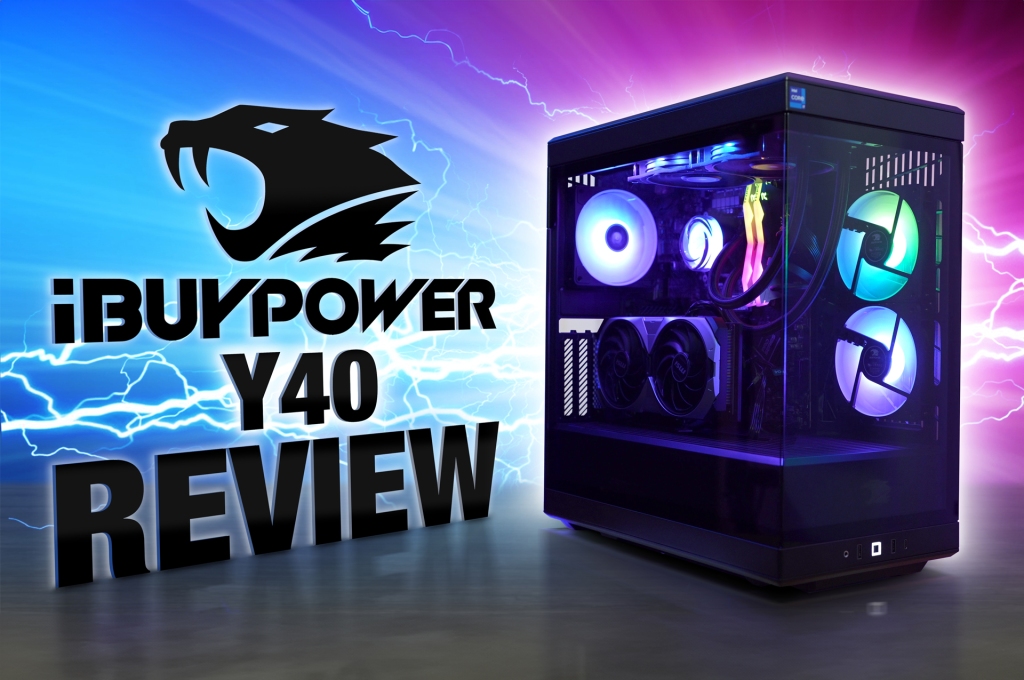
Now for the most important part, the price to performance ratios. Right now, at the time of this recording, this PC will cost you $1,700. This is a great deal for a PC with these specs. As you can see here, we’ve got a new chart topper with the best 1080P gaming price to performance ratio out of all the PCs that I’ve ever reviewed. Even better than that iBUYPOWER Y40 that we just reviewed. Woohoo! That’s going to take a long time to clean up. I probably should have just had my editor do that with visual effects.
Even jumping up to 1440P gaming, it still held its place in first by quite a bit. However, because it struggled to perform well at 4K, it fell to fifth place at that resolution. Because of the current deals going on with the Alienware Aurora R16 and its high performance, both configurations that I tested are still holding the first and second spots here for the best dollar per FPS ratio at 4K.
If you’re at an entirely different price point, these are my recommendations for every budget. I’ll include links down below for all the computers that I mentioned. If this $1,700 PC that I reviewed today is too much, and you need to be closer to $1,000, then I would go at this CyberPower PC Gamer Xtreme with an i5 and 460. If $1,000 is still too much, then I would go with this exact version of the Victus by HP15 L that I reviewed with a 1660 Super and i5 for just over $600. That’s the bare minimum I would recommend for semi-decent graphics settings if you’re coming from a console like an Xbox Series X or a PS5, and you want your graphics to at least match that. Then you’ll need a PC with at least a 3060 or, in this case, a 4060 GPU.
This means you’ll need to bump up the power supply to 500W and also increase your RAM to 16 GB, which brings the price of this one up to over $800. If you can actually afford more than this PC, then I would go with this configuration of the CyberPower PC Gamer Supreme with an i7 and 480 Super for $2270. This is basically the same specs as the less expensive version of the i7500 that we tested, but a lot cheaper. Although I prefer the Corsair version, this one is not a bad option if you can’t afford Corsair. Just know that the quality isn’t as good as Corsair’s, which also comes with a two-year warranty versus the typical one.
Above that, at just over $3,200, the Alienware Aurora R16 is actually a pretty good deal. I would get this one if and only if you don’t plan to be doing any upgrading to next-gen components. Proprietary Alienware PCs are only really for those that find modding their PC to be a chore and typically just toss their PCs for a brand new one every few years.
If you’re an absolute baller, your best bet for quality, performance, longevity, and upgradeability is the Corsair Vengeance i7500. This one has been the most purchased top-tier PC by my viewers and third most purchased overall when you compare it with more affordable PCs. Overall, this is currently one of the best deals, if not the best for a pre-built PC with these specs. It doesn’t have the best motherboard or the best power supply or SSD, but you can’t ask a lot for that price.
If you’re going to push this PC hard for several hours every day, then I predict that power supply will only last you a few years. But again, not a huge deal to replace it with a higher quality one for only about $100 later down the road. Most likely, in two years, you’re going to get the itch to upgrade parts anyways.
If you do decide to purchase this PC or any of the others that I mentioned, please remember to use my affiliate links in the comments and description below, as I get a small commission at no cost to you for every single purchase made. It’s actually a major factor in keeping this channel going and getting better and better for you. I’ve also upgraded to genius links, so each link below provides you with all the major outlets to purchase each PC so you can compare for the best pricing.

 Just!N Tech