
Introduction
“A lot of you PC Gamers have been commenting about iBUYPOWER PCs, so we decided to purchase one of the bestselling models from Best Buy to give you a thorough breakdown and help you decide if they’re actually a good buy. This is our 100% honest and unbiased review of the iBUYPOWER Y40.”
Unboxing
“This configuration that we have here includes an i7 14700F CPU and an RTX 4070 GPU. I’m going to quickly take you through the unboxing and what’s included, gaming and creator benchmarks, design and build quality, the internals, thermals, fan noise, overall ease of use, pricing breakdowns, and comparing its price to performance ratios against the competition and my overall top likes and dislikes. If you decide against this PC after anything that I say in this video, just keep watching because I’m also going to be showing you some alternative PCs that I recommend for every budget. I’ll have links down below for all the products that I mention. I guarantee that by the end of this video you will know if this PC is right for you or not, but if you still have any questions after watching this entire video, just shoot me a comment, and if you’re publicly subscribed I guarantee a personal response.”
Design
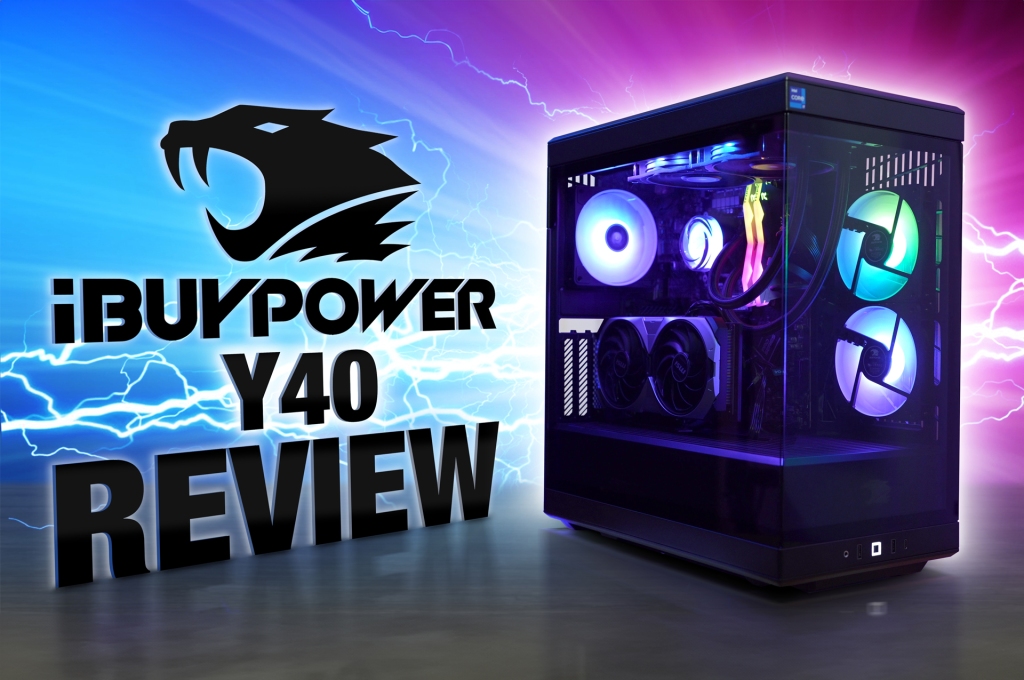
“Now getting into the design of this thing, this model was built with a mid-tower height Y40K, which is overall very cohesive with its right angle lines and chamfered edges throughout. It’s completely panoramic glass; the front corner is something that I’ve always really loved in PC cases. We’ve got six 120 mm fans total in this case with one hidden intake on the bottom, right next to our power supply, two more intakes on the side, and then one exhaust on the back and two more at the top. These two at the top are actually part of our all-in-one liquid cooling system for our CPU.”
Internals
“For those of you new to this, the way this cooling works is starting from this cooling block right here, the heat gets transferred using a liquid up through these tubes into a 120 mm radiator just above these fans where the heat is spread out and then blown out the top. To the right of our CPU, we’ve got our T-Force Delta DDR5 RAM, two 16 GB sticks for a total of 32. Then underneath our CPU is our main drive that our operating system and everything else is installed on; this one is a Kingston MV2 2 TB SSD. Our test showed this one to have just okay speeds with about 3.8 MB/s per second read and 3.4 write.”
Ports
“On the back, we’ve got another toolless panel that’s easy to pop off. You can see on the back only a small portion of this actually has ventilation, which is kind of a waste of money in my opinion to have such a fancy highlighting logo spiral design on something that you’re never really going to look at. The only things that you can really do in here is add a couple more 2.5 in drives or one 3.5 in drive. And then down at the bottom right corner, our non-modular Raid Max 750 AE 750 W PSU. Non-modular power supplies have cables wired directly into them, so if you ever have to replace your PSU, you’re going to have to rerun all of your cables. This cheaper PSU and cheap MSI Pro B760 VC Wi-Fi motherboard in this build are two of the main reasons that iBUYPOWER usually costs less than other pre-builts.”
Software
“Now for the software, just like other pre-builts with MSI motherboards, you’ve got the MSI Center for adjusting your fan speeds, very detailed hardware monitoring, and Mystic Light for customizing your RGB animations. There are quite a few animations in here, and believe it or not they actually work like they’re supposed to. For those of you that want even further control within the BIOS, there’s plenty of settings that you can fine-tune as well if you’re into overclocking and want to squeeze every last drop of performance out of your PC.”
Fan Noise
“As far as the fan noise goes, these were my results after testing each of the main fan profiles. In quiet mode, it was just a little over 42.5 dB and then when moving up to performance mode, it brought the fan noise up to about 43.5 dB.”
Thermals
“Now for the thermals, you can see in our thermal imaging time lapse from computer off to full-on gaming; like most gaming PCs, we get a lot of heat coming out of the side of the GPU. Usually that just builds up against the glass, but after removing the glass panel you can see that this vertically mounted GPU actually holds a lot of heat underneath it, and because there’s no heat sink on the SSD above the GPU that also gets pretty hot.”
Performance
“Now for the performance and gaming benchmarks and up next, the most important part of this review—the price to performance ratios. For Cinebench R23, which simulates its 3D rendering power, we got a multi-core score of 2,089 and a single-core score of 275. This was one of the lowest scores that we’ve seen for a PC with an i7 CPU, not the best choice for 3D rendering. Another very helpful test for you 3D renderers is the V-Ray benchmark. These GPU scores were about where I’d expect them to be for a 4070 prebuilt. This is an important score if you’re doing a lot of high polygon 3D modeling or real-time viewport rendering and lighting. The overall V-Ray performance score, though, is a CPU-based rendering test that demonstrates how well a PC can handle the more advanced realistic rendering that takes a lot longer to calculate. This V-Ray performance chart confirmed that again the CPU in this pre-built is not performing where it should be for the 14th gen i7.”
Puget Benchmarks
“And if you need any more convincing for those of you who use Blender, we got some pretty low rendering scores for the GPU and CPU here as well. The last set of benchmarks for creatives before we get into gaming are the Puget benchmarks for DaVinci Resolve; we got 2,503 for the price of this pre-built. I’d say it did pretty well here compared to the others. Adobe Premiere 10,193; now this looks low, but this is also the lowest spec PC that I’ve tested since Puget completely changed the way this test works. In Photoshop, it also performed pretty well for these specs, and with 32 GB of RAM, you’re not going to have any issues even with the largest PSD files with a lot of layers.”
Gaming Benchmarks
“For 3D Mark Timespy, which is a great benchmark used to predict a computer’s overall game ability, we plugged in these overall graphic and CPU scores into our master chart and you can see here that it performed about where you’d expect it to be. Actual gaming benchmarks are likely what you guys care the most about; we took many hours of testing from those games and averaged the FPS against the competition, and you can see here that it actually held its own pretty well against other similar spec gaming pre-builts. Averaging all of those games together gave us an even broader overall perspective on how this PC stands against the rest—28 FPS at the highest graphic settings.”
Pricing & Price to Performance Ratio
“Right now at the time of this recording, this PC will cost you $1,600, $100 less than what I got it for. This is a great deal for a PC with these specs and as you can see here, we’ve got a new chart topper with the best 1080p gaming price to performance ratio of all the PCs that I’ve ever reviewed. It’s still holding its place at first; however, because this PC struggled to perform well at 4K, it fell to fifth place at that resolution.”
Recommendations for Every Budget
“Now, if you’re at an entirely different price point, these are my recommendations for every budget. If $1,600 for this PC is too much for you and you need to be closer to $1,000, then I would go with this CyberPower PC Gamer Xtreme with an i5 and 460. If $1,000 is still too much, then I would get this exact version of the Victus by HP 15L that I reviewed with a 1660 super and i5 for just a little over $600; that’s the bare minimum that I would recommend for semi-decent low graphics settings.”
Final Thoughts
“This one has been the most purchased top-tier PC by my viewers, and overall this is currently one of the best deals for a pre-built PC with these specs. It doesn’t have the best motherboard or power supply, but you kind of get what you pay for. If you think you’re going to be pushing this PC hard for several hours a day, I predict the power supply to only really last a couple of years; it’s not a huge deal to spend maybe $100 replacing it with a new one later on. Most likely in two years, you’re going to get the itch to upgrade things anyway.”
Where to Buy
“If you do decide to purchase this PC or any of the others that I mentioned, then please remember to use my affiliate links in the comments and description below as I get a small commission at no cost to you for every single purchase made, and it’s actually a major factor in keeping this channel going and getting better and better for you. I’d also like to personally thank all of my members for their monthly support of this channel. Also, make sure to like, comment, and subscribe with notifications turned on to stay up to date with all of my latest tech and gaming PCs. Thanks for watching, guys; I love you guys, God bless.”



 Just!N Tech